It’s pretty much a given that we would be lost without our smartphones — we use them for calling, texting, taking photos, setting alarms, posting on social media, and so much more. For many of us, we would literally be lost without our smartphones, as the GPS feature is the only thing standing between us and driving in circles.
That’s why the iPhone’s Apple Maps feature is such a critical tool. However, you don’t need to travel far from home to take full advantage of this app’s great features. These convenient features will make running around town easier, safer, and more fun. Here’s what you need to know.
 5 Apple Maps features you’re going to love!
 5 Apple Maps features you’re going to love!
1. Apple Maps traffic features
Of course, you use Apple Maps to get where you’re going. Get there on time and plan ahead for any possible gridlocks with these traffic features.
- Know exactly when to slow down
If there’s a speed or red-light camera, your Apple Maps will give you a heads up before it’s too late. The map gives you exact locations of individual speed traps so you’ll know when to ease back on the gas pedal.
- Report traffic hazards or accidents
With Apple Maps, you can report road hazards or traffic accidents hands-free so you can keep your focus on the road. Simply let Siri know about the blockage, and the phone will route this information to the proper authorities.
- Real‑time transit info
If your errands include a trip out of town utilizing public transit, real‑time transit information provides you with live departure and arrival times, detailed transit schedules, system connections, and even the current location of the bus or train on your route. You’ll also get a heads-up regarding any outages so you won’t be surprised by unanticipated delays.
2. Use Apple Maps for weather tracking
You probably already use the weather app on your phone, but you may not know that Apple Maps has a weather feature, too! Simply zoom in on a map until you see the weather icon in the lower right-hand corner. That icon will show the current weather conditions in the area, as well as an air quality index.
For an hour-by-hour forecast, touch and hold the weather icon. Looking for a longer-range forecast? Tapping the hourly forecast will directly connect you to the multi-day forecast in the Weather app.
3. Apple Maps for dining out
While you’re out and about running errands and suddenly have a craving for Thai food, turn to Maps to find a restaurant near you. You can locate eateries right in the part of town you’re currently in, and once you find a place that interests you, you can:
- Make a reservation
Apple Maps includes a direct link to Open Table, so you don’t need to open up a separate search to make an online reservation. What a time saver!
- Read Yelp reviews
Trying a new place can be risky, but Apple Maps integrates with Yelp to give you in-app reviews. Just scroll down after typing in the restaurant name and you’ll find a plethora of Yelp reviews to assist your dining decision-making. Once your dining experience is over, you can even leave your own Yelp review right through Apple Maps.
4. Apple Maps for Apple Pay
Apple Pay is a big convenience, but knowing whether a business accepts this form of payment before you get there can be a bit of a hassle. Apple Maps can help you out. After you’ve searched for and located your destination, scroll down below the general business information. In the ‘Useful to Know’ section see if Apple Pay is listed. If it is, you’re good to go.
Navigate your way around town…
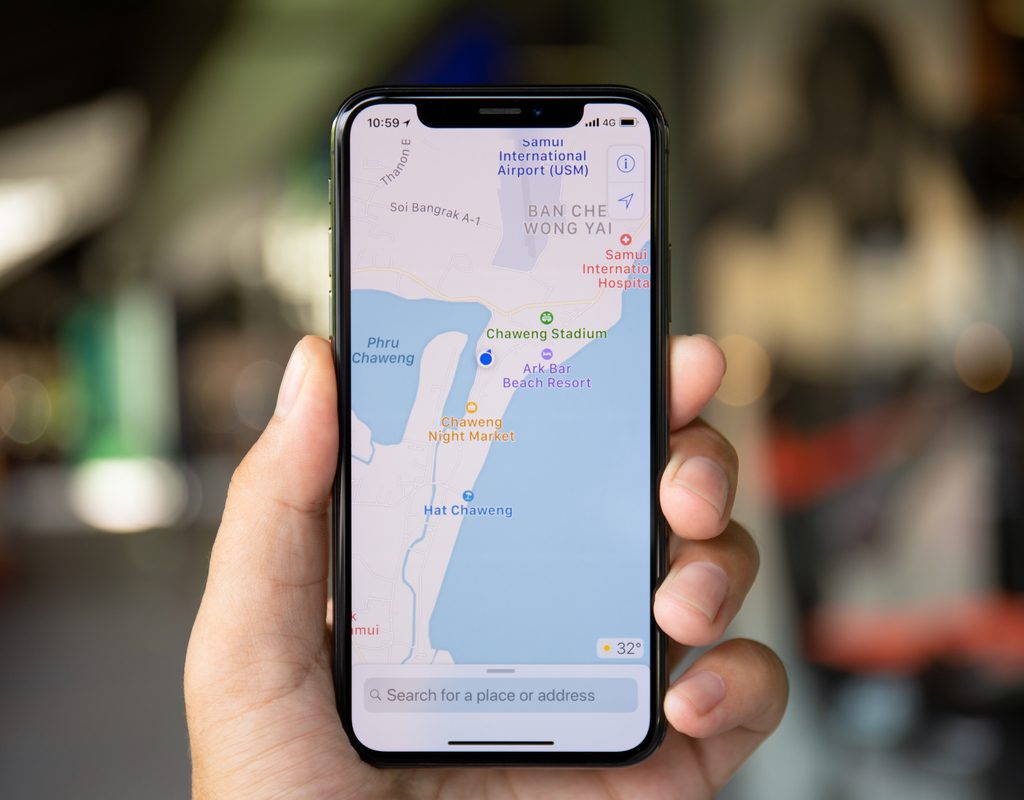 Navigate your way around town…
5. Apple Maps for everyday navigation
Your everyday favorites are always just a tap away. Apple Maps displays all of your favorite and recent desitnations for quick, one-tap navigation when you open the app on your device or on your CarPlay dashboard.
In some expansive buildings, you even navigate indoors with Apple Maps. Try it the next time you are in your favorite shopping mall. It can help you locate restrooms, the food court, or even individual stores within the shopping center.
If you’re on the hunt for a gas station, coffee shop, bar, grocery store, or restaurant in your area, the Nearby feature is here to help. The platform displays locations on the map with colored badges for easy planning, so you can quickly find what you need close by.
We’ve just scratched the surface on all of the incredible features of your Apple Maps navigation app. For the latest updates and even more helpful Apple Maps features visit Apple online.